
Tools
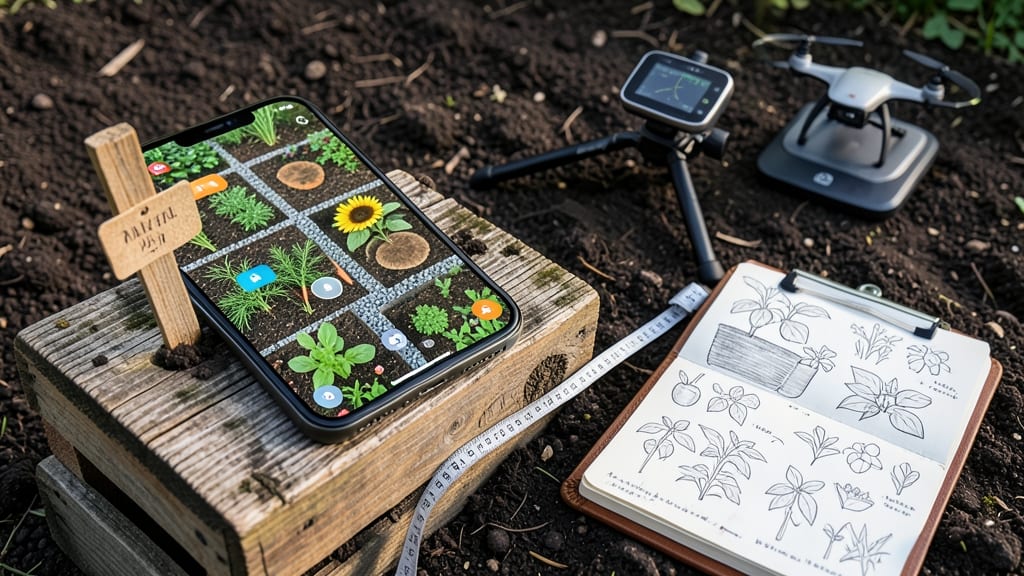
A garden mapping app transforms your gardening workflow by creating digital blueprints of your space, recording plant varieties, and monitoring seasonal changes through interactive maps and data logs. These tools often include free versions with essential features like layout sketching, plant tagging systems, and basic weather integration to help new gardeners get started.
A garden mapping app essentially acts as your garden's digital twin, letting you visualize everything from flower beds to vegetable plots in one place. 🌱 These platforms often include plant databases with care instructions, so you can see which varieties thrive in your climate zone and how they'll look when mature.
The real game-changer is growth tracking—many apps let you mark planting dates and track harvest times, which helps you plan future seasons more effectively. For example, you might notice that your tomatoes always produce better after the first frost, or that certain herbs need to be replanted every two years.
What makes these apps particularly useful is their ability to adapt to different garden types—whether you're working with raised beds, containers, or traditional in-ground plots. 💫 They often integrate with weather services to give you frost warnings or rainfall alerts that directly impact your planting schedule.
The best part? Many of these features are available in free versions, making them accessible for gardeners at any experience level.
💡 In This Article
- How Garden Mapping Apps Simplify Plant Layout Planning
- Top Free Garden Mapping Apps for Beginners vs Advanced Users
How garden mapping apps simplify plant layout planning
Garden mapping apps streamline layout planning by using digital grid systems that mirror real-world measurements. Most platforms allow you to input your garden's dimensions in feet or meters, then overlay a scalable grid where you can drag and drop plant icons.
For example, an app like GrowVeg lets you set a 1:1 scale, so a 4-foot tomato plant icon represents exactly 4 feet of space in your actual garden. This precision eliminates guesswork when spacing plants according to their mature sizes.
The real magic happens with built-in plant databases that include mature height and spread measurements. When you select a plant, the app automatically calculates spacing requirements based on companion planting rules—like keeping basil near tomatoes but away from rue.
Some advanced tools even show sunlight exposure overlays, using color-coded zones to indicate full sun (6+ hours), part shade (3-6 hours), or full shade (<3 hours) areas. This visual approach helps you optimize your layout for maximum productivity without wasting space.
Many apps integrate with GPS for accurate property boundary mapping, which is particularly useful for larger gardens or urban plots with limited space. For instance, you can trace your property lines using your smartphone's GPS, then overlay your existing plants to see what's already thriving.
The app will then suggest optimal rotations for next season based on crop families—like keeping nightshades (tomatoes, peppers) in different locations each year to prevent soil-borne diseases. This systematic approach turns what could be a chaotic gardening experience into a structured, data-driven process.
What's often overlooked is how these apps handle vertical space planning. Many include 3D visualization tools where you can stack plants vertically—like trellises for cucumbers or pole beans—showing how they'll interact with overhead sunlight patterns. This is especially valuable for small gardens where every inch counts.
The apps also let you save multiple layout versions, so you can experiment with different configurations before committing to a physical design. For example, you might try a square-foot gardening layout one season and compare it to a traditional row system the next.
Under the hood, these tools use algorithms to calculate things like plant succession timing—showing when to harvest one crop so you can replant the same space with another variety. Some even integrate with local weather APIs to adjust planting windows based on frost dates and rainfall predictions.
The combination of spatial planning with temporal data creates what's essentially a dynamic garden calendar that adapts to your specific microclimate. This level of organization would be nearly impossible to maintain manually, especially for gardeners with multiple seasons of data to reference.
For beginners, the learning curve is minimal because most apps offer template layouts for common garden types—from vegetable plots to herb spirals. You can start with a pre-designed layout and customize it, or build from scratch using the drag-and-drop interface.
The visual feedback is immediate: as you place plants, the app shows potential conflicts (like shade cast by tall plants) in real-time. This interactive planning process helps new gardeners develop an intuitive understanding of spatial relationships that would take years to learn through trial and error alone.